My Baby
A time capsule for childhood

Your child's childhood, kept forever.

Photos, videos, letters, drawings and growth, on one timeline organised by your child's age. And everything lives in the child's own Google Drive, not on someone else's server.

Get it onGoogle Play Free to start · Android
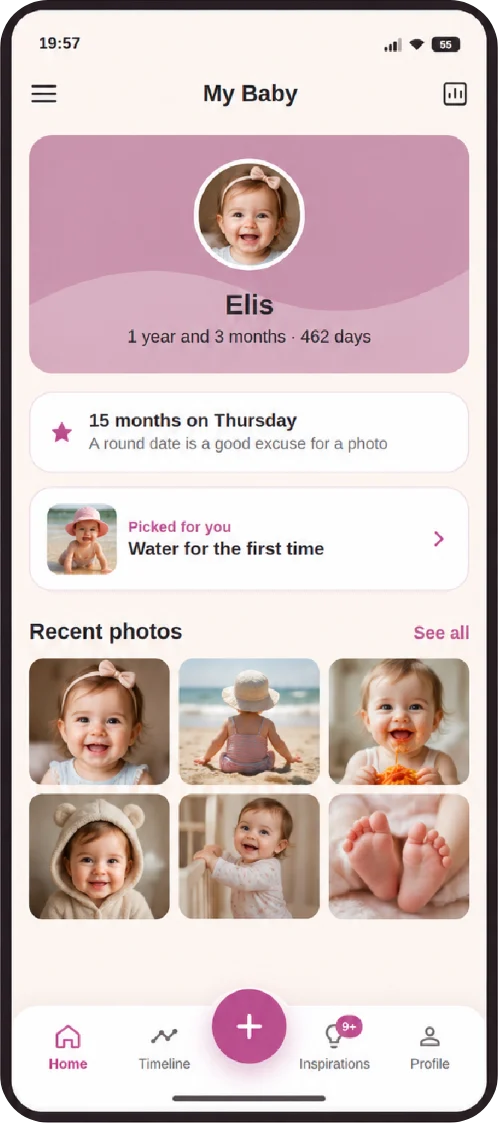
Home screen with the child's name, age and recent photos
  • In your Google Drive
  • No ads, no tracking
  • Fingerprint or face lock
  • In 6 languages

Everything that matters, in one place

No more memories scattered across the camera roll, chat apps and paper boxes. Every moment gets a date, an age and a place.

Timeline

Month by month, from day one

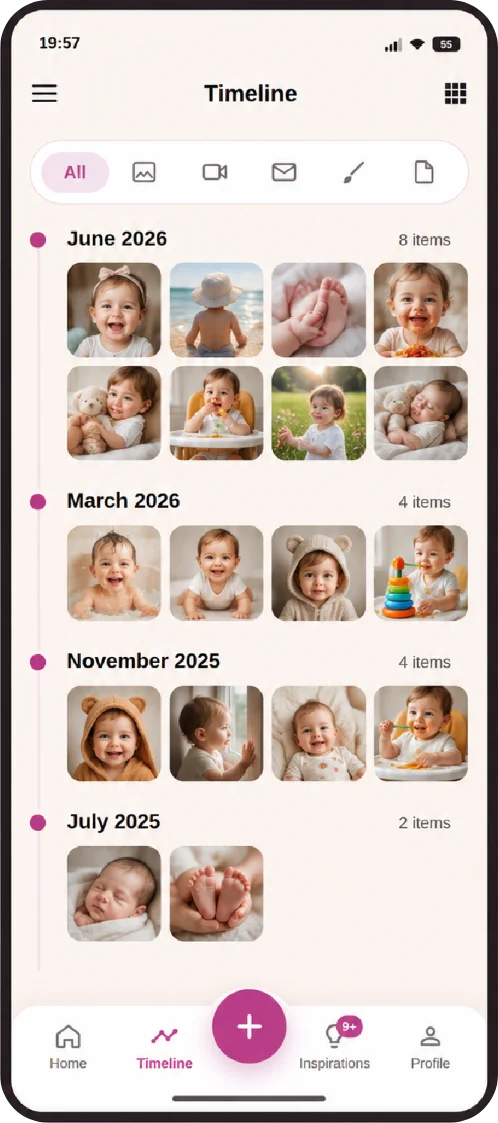
Photos and videos are organised by your child's age, on a timeline you browse like an album. The app creates the Drive folders for you.

  • Many files at once, with a caption on each
  • Videos compressed so your Drive does not fill up
  • "1 year ago": memories that come back on the right day
Timeline organised by month, with the child's photos
Letters to the future

Write today. They read it when they grow up.

Write a letter and choose the day it opens: their 18th birthday, the first day of school, their wedding. Until then, not even you can open, edit or delete it.

  • Letters sealed until the date you choose
  • Also saved as text in the Drive, readable forever
Growth

Weight and height on a clear chart

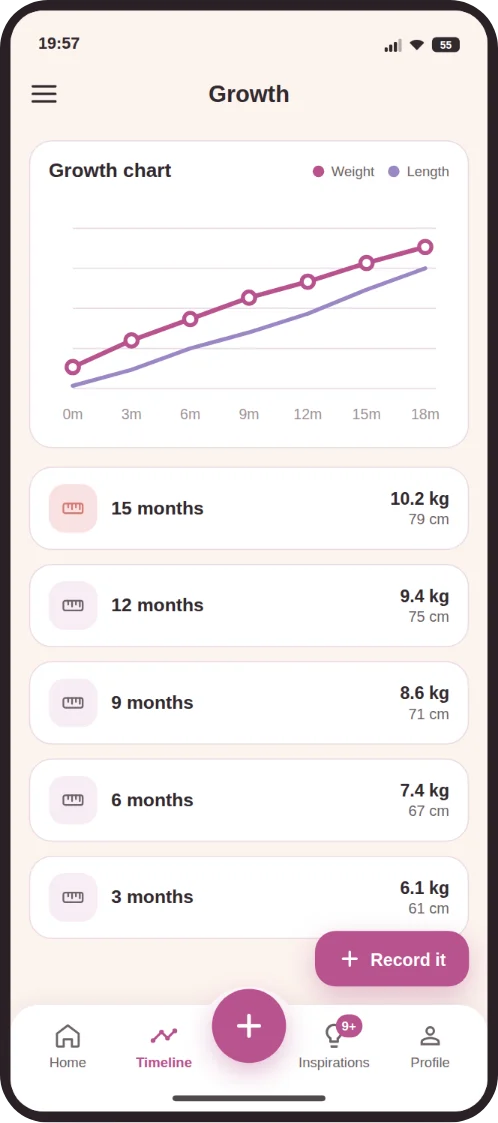
Note the measurements from check-ups and follow the growth curve over the months, with no spreadsheet and no lost notebook.

Weight and height chart over the months
Drawings and documents

The first scribble and the vaccination card, together

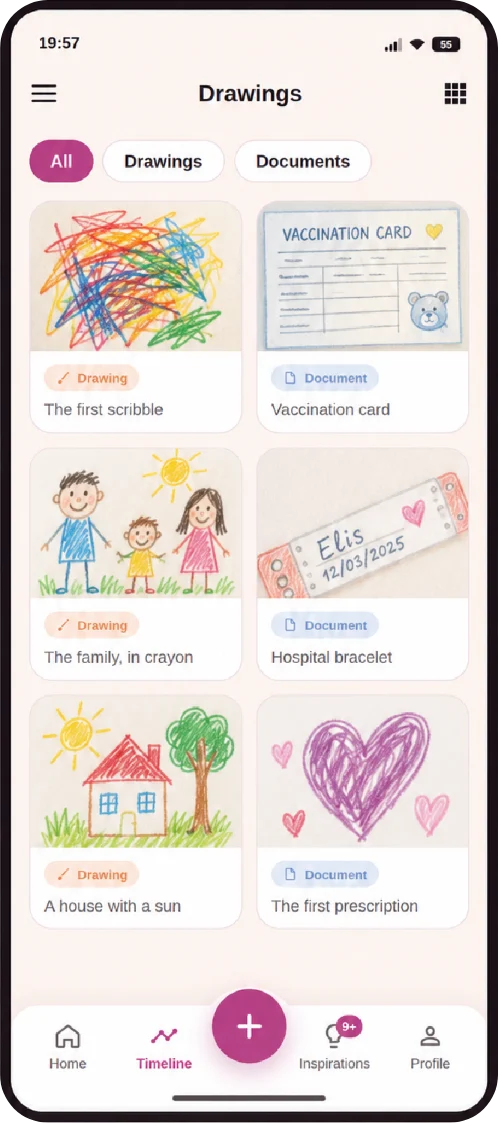
Photograph drawings before they get lost, and keep important documents such as certificates, vaccination records and test results next to the memories.

Drawings and documents kept side by side
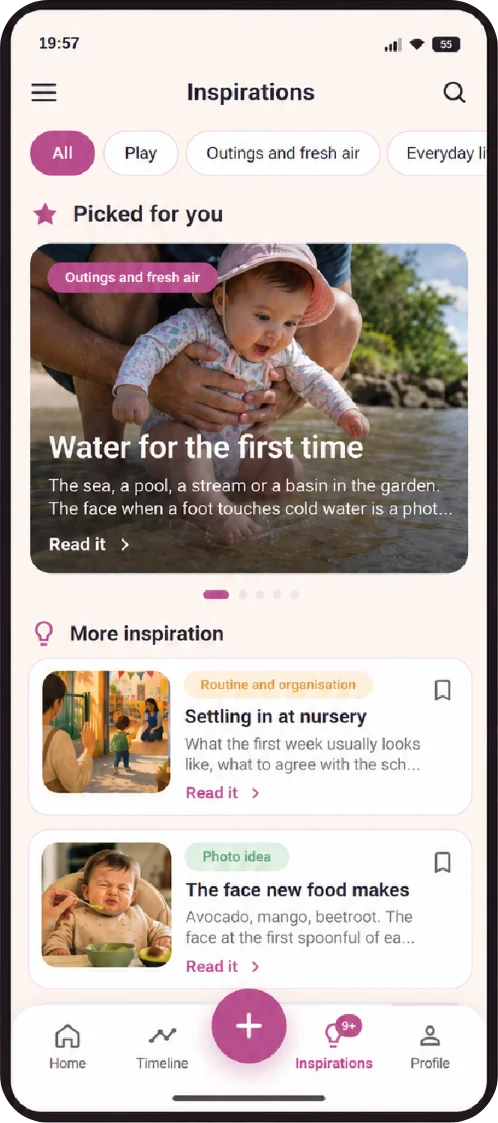
Inspirations

Ideas so nothing slips by

Suggestions of moments to capture at every stage, and reminders on round dates like "15 months on Thursday", so you never forget to take that photo.

Inspirations screen with suggested moments to capture
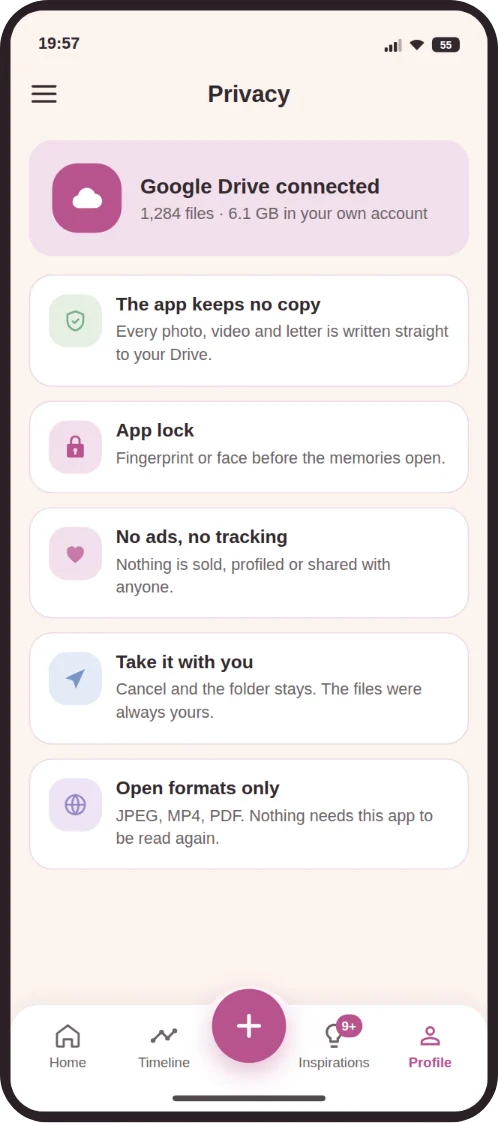
Real privacy

Your files. Your Drive. Always.

The app keeps no copy of your photos. Every file goes straight to the Google Drive of the child's account, in open formats like JPEG, MP4 and PDF. If you ever stop using the app, the folder stays there, complete.

  • Nothing is sold, profiled or shared
  • No ads and no tracking
  • Fingerprint or face lock before it opens
Privacy screen with Google Drive connected
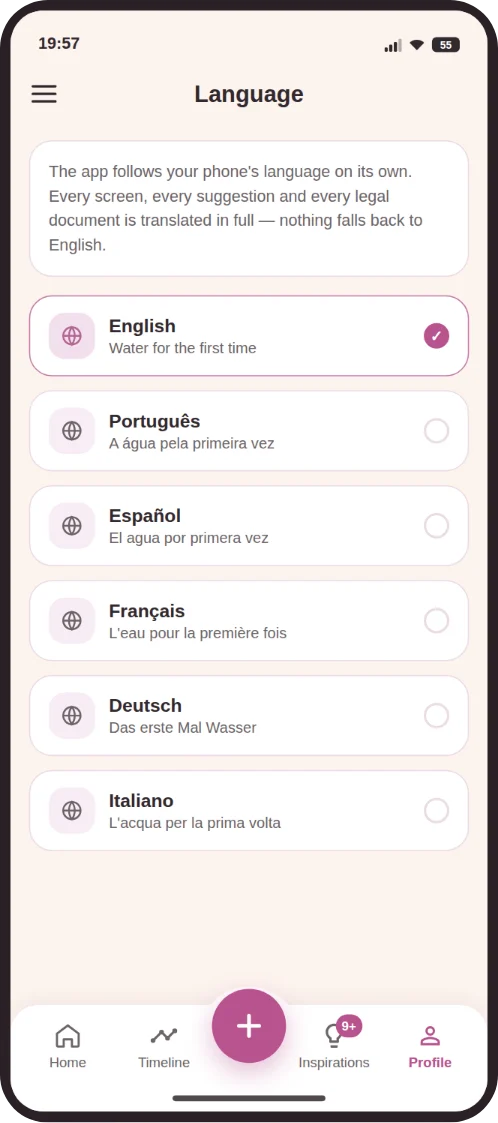
Six languages

In your family's language

English, Portuguese, Spanish, French, German and Italian. The app follows your phone's language, or the one you choose.

The app's language choice

Start in three steps

Your capsule is ready in a few minutes.

Download and sign in

Install from Google Play and sign in with the child's Google account. Everything lives in that Drive.

Add your child

Name and date of birth. The app works out the age of every memory and creates the folders.

Keep the memories

Photos, videos, letters and measurements. One tap on "+" and it is saved.

Made for real family life

More than one child

One capsule for each child, and you switch between them with a tap. The same photo can go to the siblings' capsules too.

Gentle reminders

Nudges on month-days and birthdays, never too many: at most two a week.

For when they grow up

The account belongs to the child. One day, they receive their whole childhood, kept in their own Drive.

Start for free

Photos and videos are free forever. Premium opens the rest of the capsule.

Basic

Free

  • Photos and videos, in your Drive storage
  • Timeline by age
  • Inspirations and reminders
  • Everything you kept stays open, always

Premium family

Yearly subscription through Google Play, priced for your country

  • Everything in Basic
  • Letters to the future
  • Drawings and documents
  • Growth chart
  • Covers the capsules of all your children

Frequently asked questions

What can I do in the app?

Keep photos and videos on a timeline organised by your child's age, write letters that only open on the date you choose, follow weight and height on a chart, keep drawings and documents, get ideas of moments to capture and reminders on special dates. Everything lives in the child's Google Drive.

Can I add more than one child?

Yes. Each child gets their own capsule, with their own Google account, and you switch between them with a tap. When you upload a photo, you can send it to the siblings' capsules too. Premium family covers the capsules of up to six children.

How much does Premium cost?

It is a yearly subscription, billed by Google Play at your country's price, and one subscription covers all your children. Photos, videos and the timeline are free forever, with no subscription.

Do photos and videos take up a lot of Drive space?

Videos are compressed before uploading, so they take much less space while still looking good on a phone. Every Google account comes with 15 GB free, and the app uses that space in the child's account.

Can I use it on another phone?

Yes. Just install the app and sign in with the same Google account of the child: the timeline and every file come back, because they live in the child's Drive, not on the device.

Where are the photos and videos stored?

In the Google Drive of the child's Google account, in a folder the app creates and organises by age. The app keeps no copy of the files.

Do I need a Google account for each child?

Yes. Each child has their own account, which is what makes the capsule truly theirs. In the app you add the accounts and switch between them with a tap.

What if I cancel Premium?

Nothing disappears. Everything you kept stays in the Drive and open in the app, and photos and videos stay free. Only creating letters, drawings, documents and measurements asks for the subscription again.

Does it work on iPhone?

For now, the app is available on Android only, on Google Play.

How do I delete my account and data?

From inside the app, or by following the steps on the account deletion page. The files in your Drive are yours, and only you decide what to do with them.
The days are long. The years go by fast.

Start your child's time capsule today. A few years from now, you will be glad you did.

Get it onGoogle Play

Coming soon to iPhone

My Baby - Time Capsule is in the final stage of development for iPhone and will be on the App Store soon. Leave your email and we will let you know as soon as you can download it.